What it does
WordPress 6.9 added Notes: editors leave comments on blocks in the editor, reply, and resolve them. But only people with an account can see a draft, and only people who can edit it can leave a note. Clients, legal teams and outside experts usually have neither.
Draft link plugins let them read the draft. Feedback plugins let them comment, in a second comment system your editors have to check as well. Axle Review closes that gap: a reviewer opens a private link, clicks a block and writes a note, and it becomes a normal core Note on that block. Editors reply and resolve it in the Notes sidebar, like any other note.
Review links:
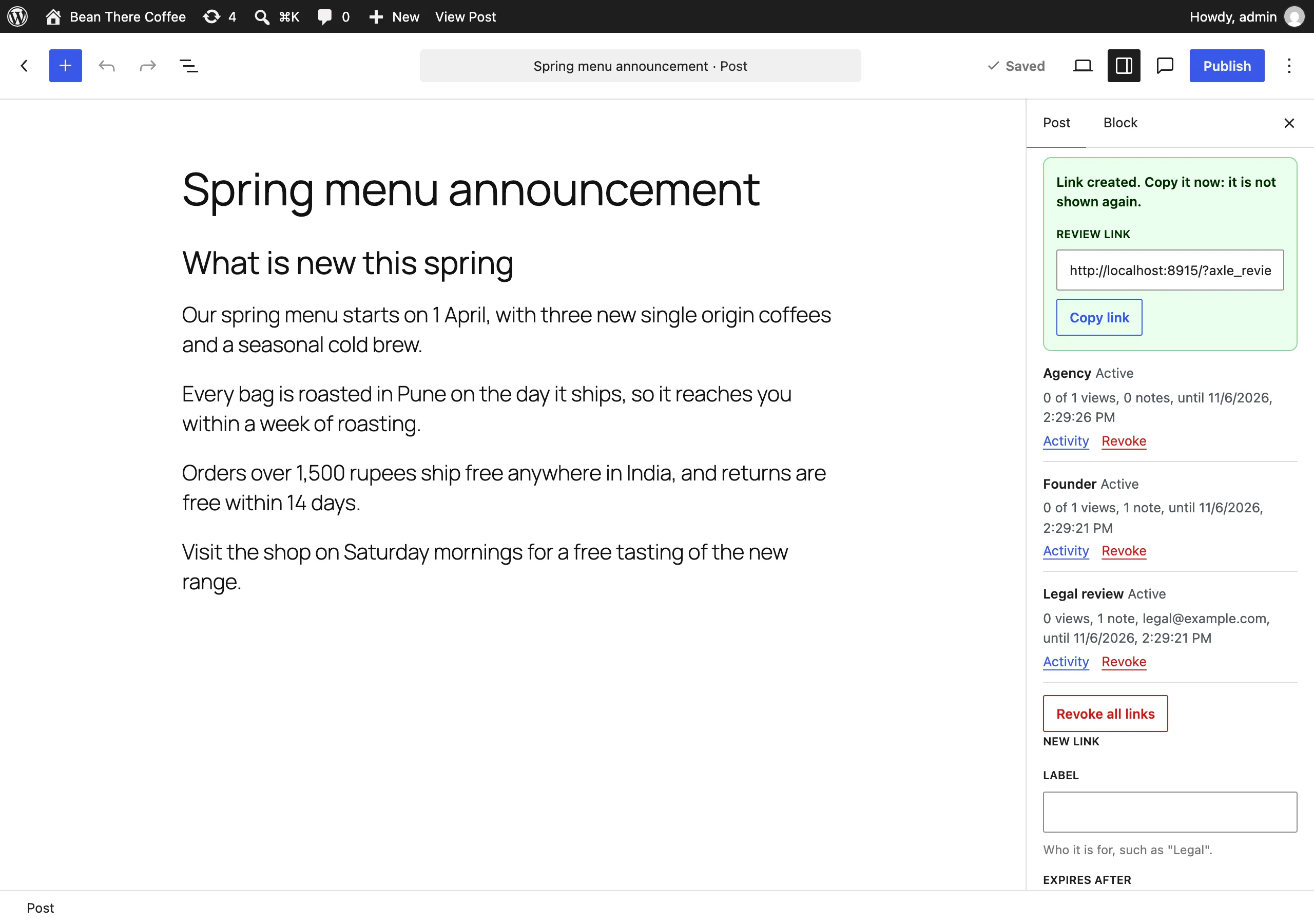
- Create links from the "Share for review" panel in the editor, under a draft in the posts list, with WP-CLI or with an ability.
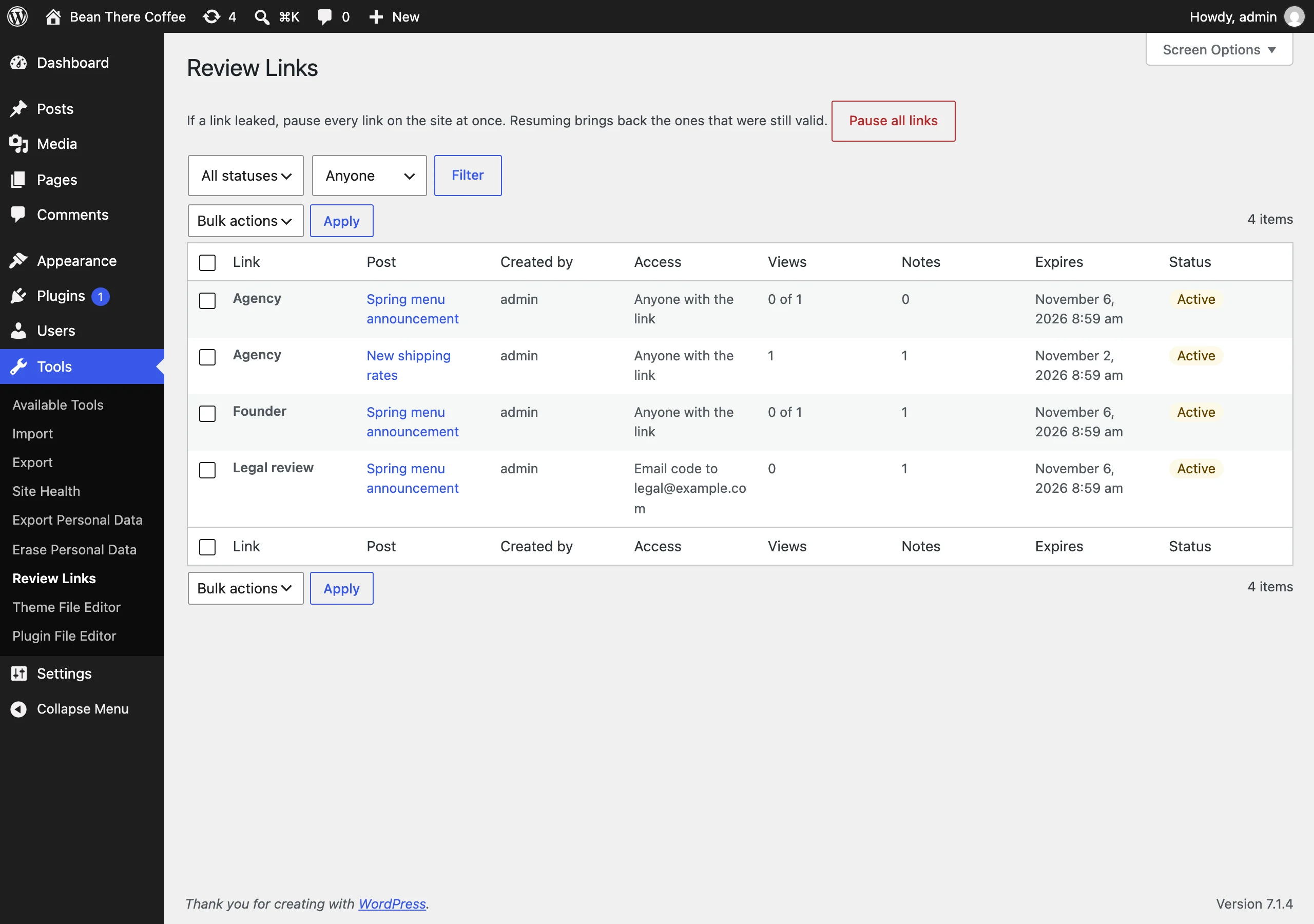
- Expiry from one hour to 30 days, a view limit (open once, a few times, or unlimited), an optional password, and an optional email lock: the reviewer gets a one-time code at that address, so a forwarded link is no use to anyone else.
- The link is shown once. Only a hash of it is stored.
- See when each link was opened, from which browser family, and how many notes came through it. Revoke one link or all of a post’s links.
- Links stop working when the post is published, made private or trashed, and when the person who created them is deleted. A Pause all links button turns every link off at once after a leak.
Reviewing:
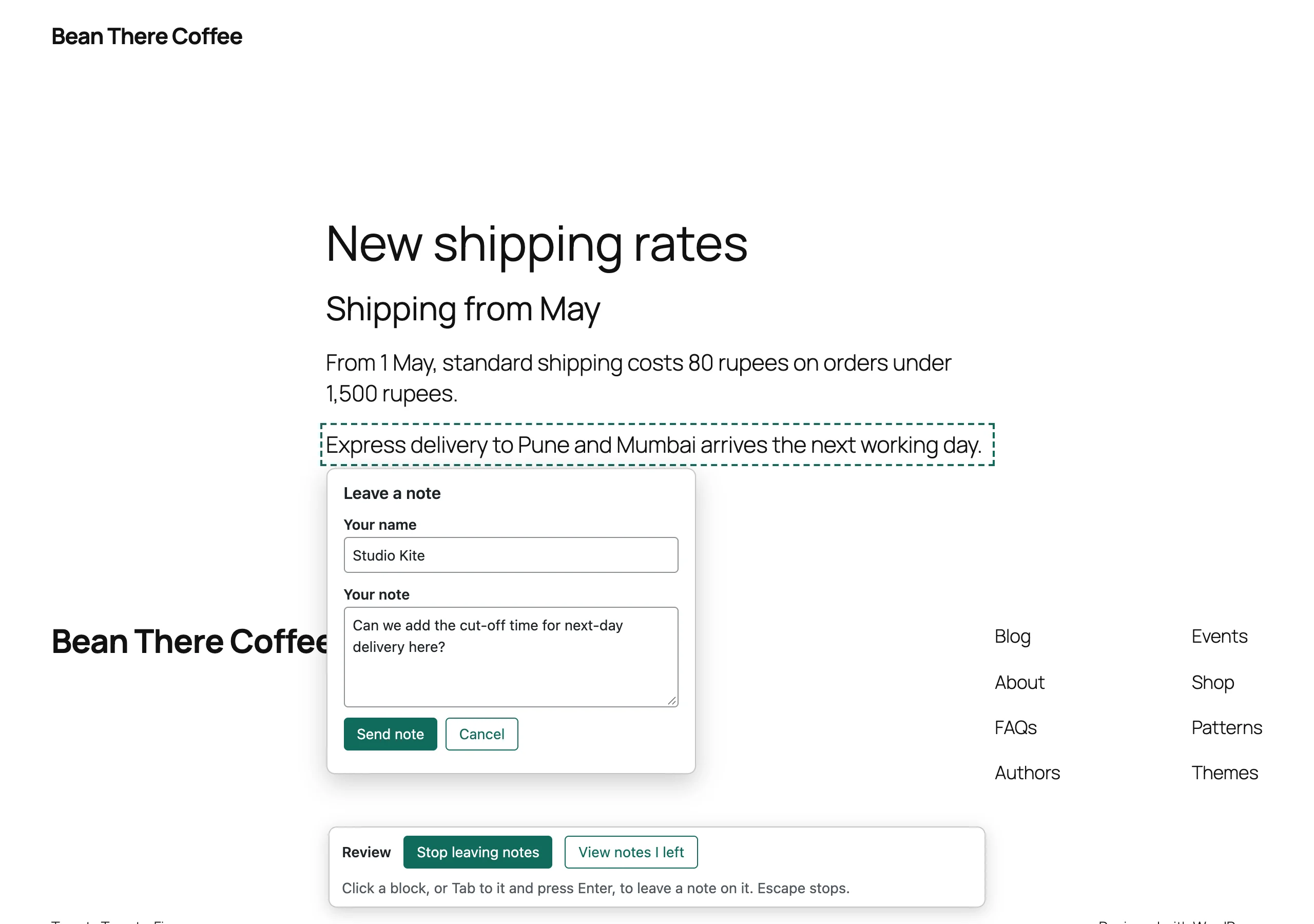
- The reviewer sees the draft in your theme, like a published post, with a small toolbar.
- "Leave a note" outlines the blocks. Click one (or Tab to it and press Enter), write the note, send. Text selected in the block is quoted in the note. It works on phones too.
- Reviewers see their own notes and your replies on their next visit, not other reviewers’ notes, unless you turn that on for a link.
For editors:
- A reviewer’s note is a core Note on the block they clicked, with their name. If an editor has the post open, the note shows up on its block within seconds, and saving the older copy does not drop it.
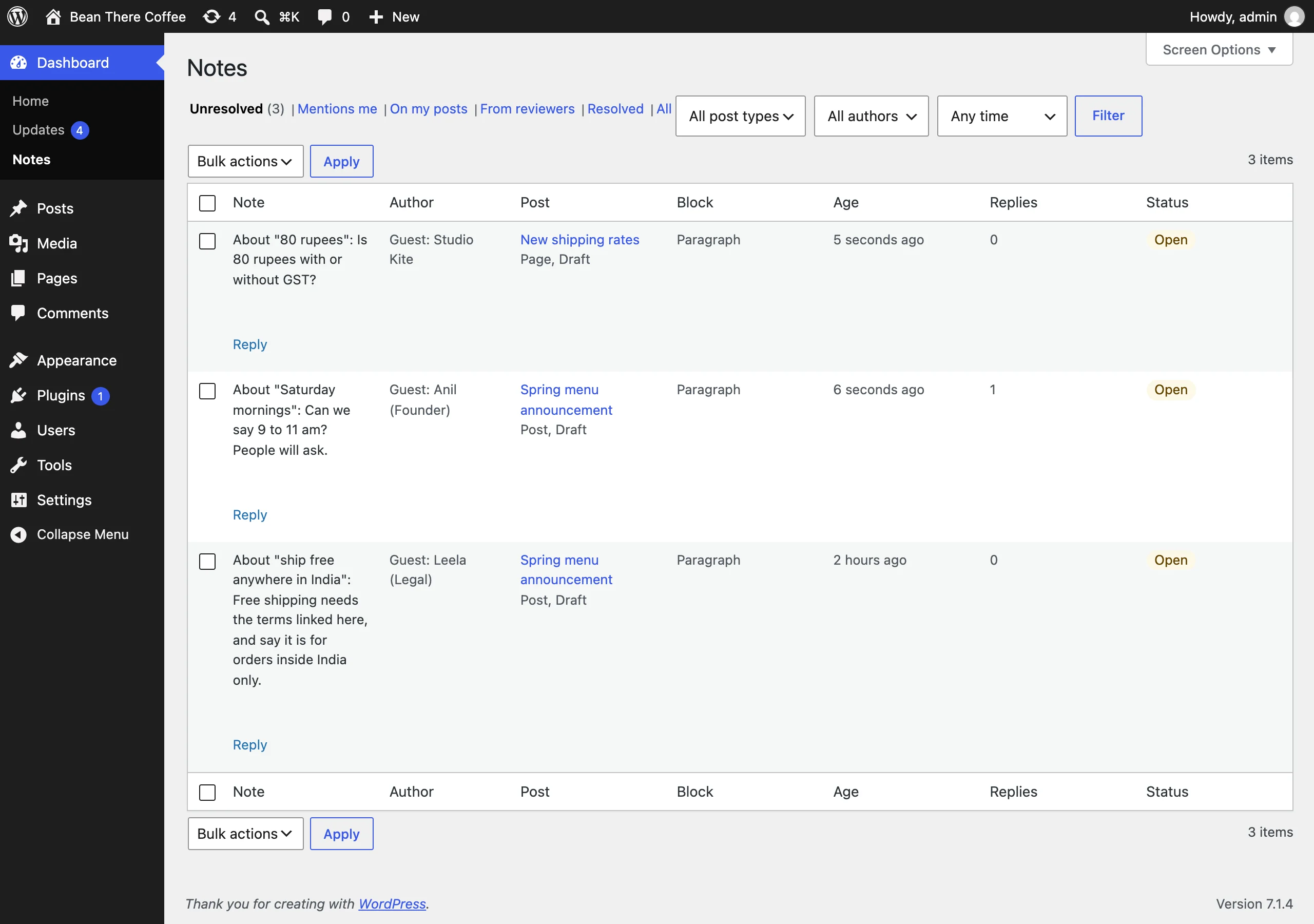
- Dashboard > Notes: every note on the site. Unresolved, On my posts, From reviewers, Resolved, All, and Mentions me on WordPress 7.1 and later. Reply, resolve and reopen from the list, or open the note in the editor.
- A Notes column on the posts list with the open notes per post.
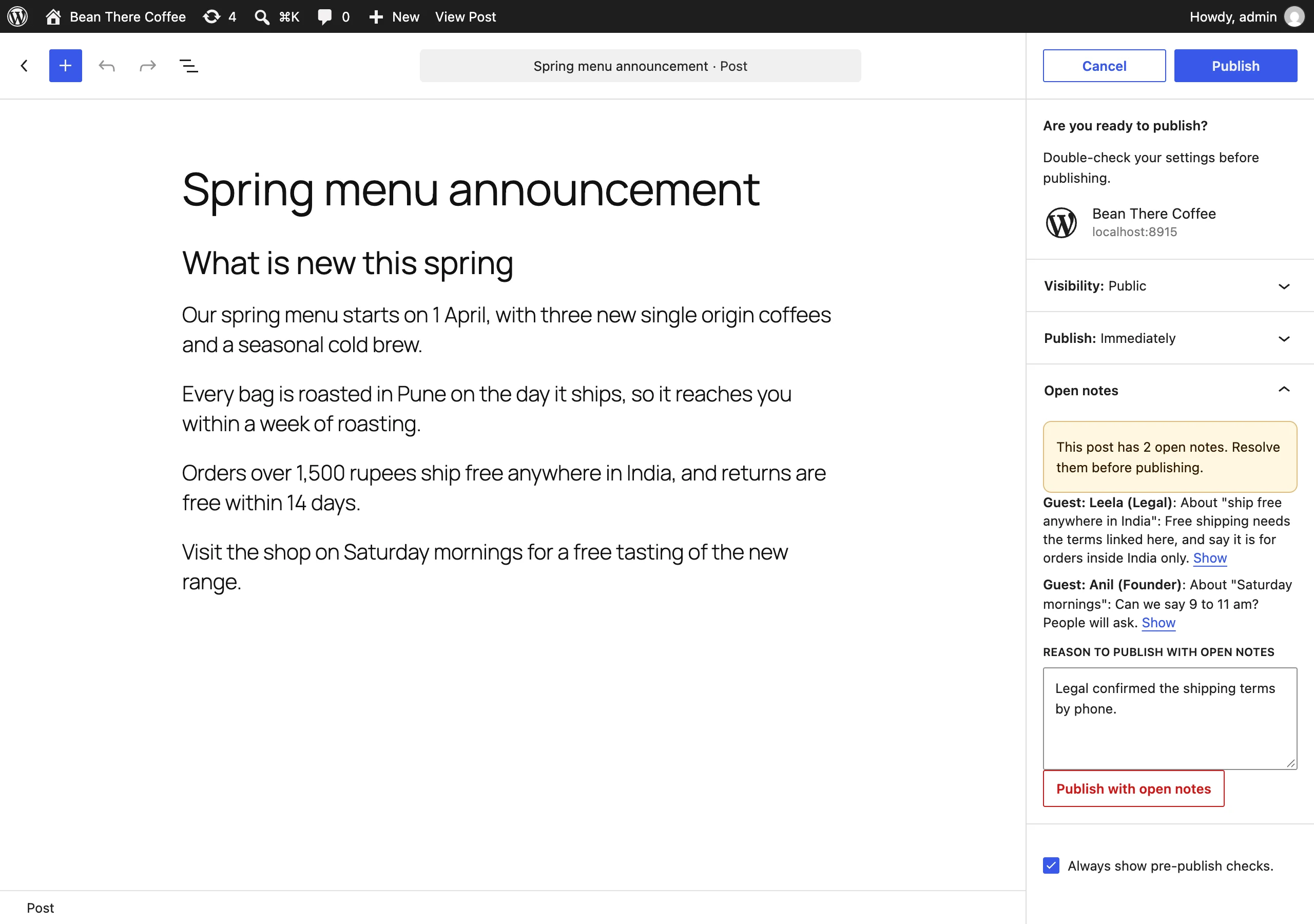
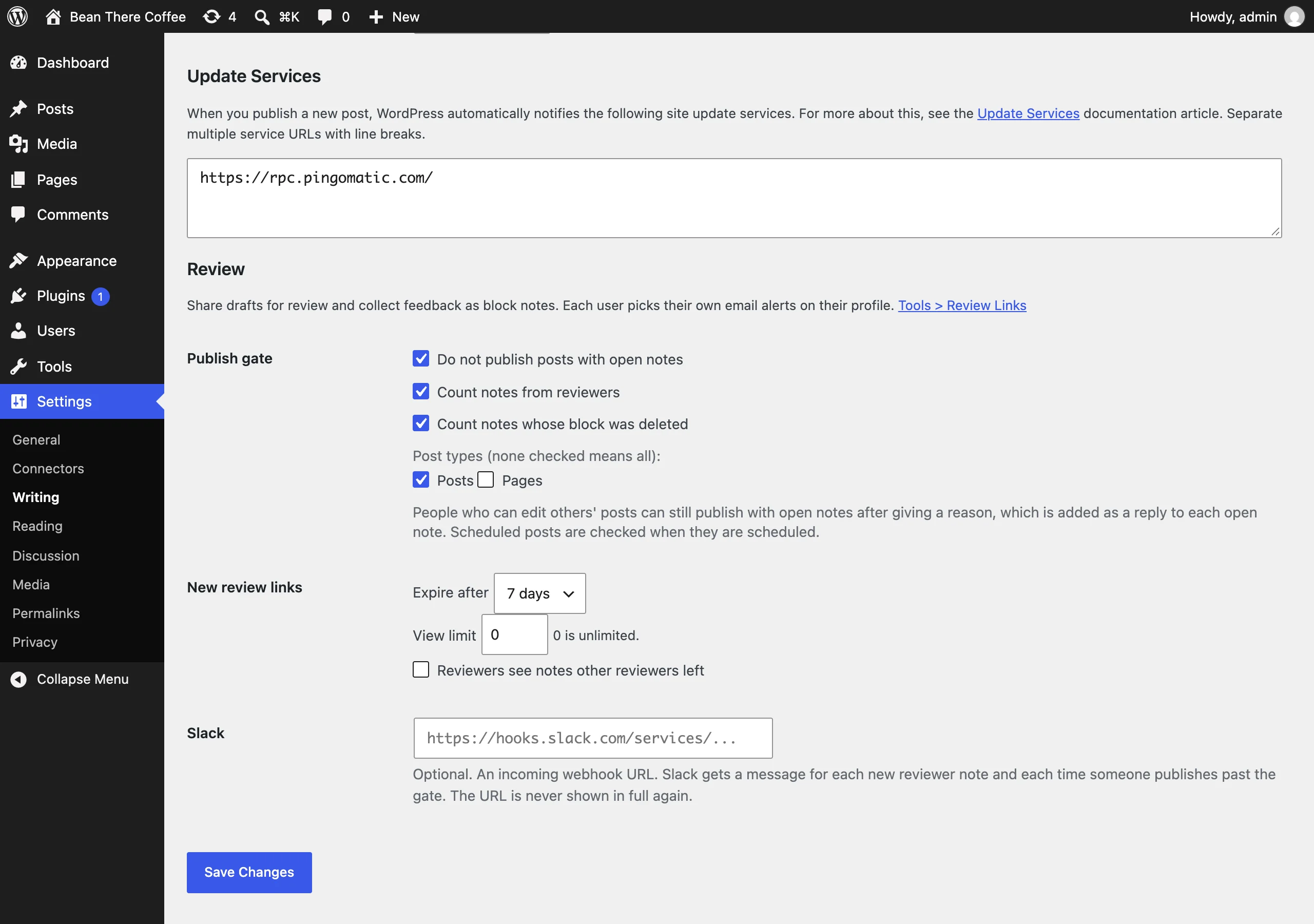
- Publish gate (off by default): a post with open notes cannot be published or scheduled until they are resolved. Editors can publish anyway with a reason, which is added as a reply to each open note.
- Alerts: each user picks instant email, an hourly or daily digest, or nothing, for reviewer notes on their posts and replies to notes they started. Digests list mentions too. A Slack webhook can get a message for each reviewer note and each publish past the gate.
Free and open source under the GPL. No pro version, no upsells, no ads in wp-admin, no tracking. And it stays that way.
Part of Axle by AryanX, a family of plugins for running WordPress sites safely.
Why WordPress 6.9
Block Notes and the Abilities API both arrived in WordPress 6.9. Mentions in notes arrived in 7.1, so the "Mentions me" view only shows from 7.1. On 6.9 and 7.0 a block holds one note thread; a reviewer note on a block that already has one goes on the first block that has none, starting with the text it was about.
Privacy
Reviewers leave a name, a note and sometimes an email address. Each link keeps when it was opened, an anonymised IP address and the browser family (such as Firefox, never the full user agent) for 90 days. The plugin takes part in Tools > Export Personal Data and Tools > Erase Personal Data by email address, and adds suggested text to Settings > Privacy. Erasing replaces the reviewer’s name and email on their notes with "Reviewer" and keeps the note text.
WP-CLI
wp axle-review link create <post>,link list,link revoke,link activity,link pauseandlink resumemanage links.wp axle-review notes list,show,add,resolve,reopenandreattachwork with notes.wp axle-review gate check <post>,digest sendandprunecover the rest.
For developers
Every default, limit and message has a filter, and every event fires an action. The editor and the review page have JavaScript hooks too. Abilities let an AI agent read notes, leave notes on blocks and check whether a post is ready to publish. The full list is in the reference.
Install
- Download axle-review.zip (v1.0.0).
- In wp-admin, go to Plugins > Add New Plugin > Upload Plugin and choose the zip.
- Click Install Now, then Activate.
Or with WP-CLI:
$ wp plugin install https://github.com/aryanjasala/axle-review/releases/download/v1.0.0/axle-review.zip --activateTo try it first, try.axlewp.com/axle-review opens a private WordPress in your browser with this release and some demo content.
Compatibility
| WordPress | PHP | Status |
|---|---|---|
| WordPress 7.1 | PHP 8.3 | Tested |
| WordPress 6.9 | PHP 7.4 | Tested |
Questions
Do reviewers need an account?
No. They never become users, and the link never logs them in. It lets them read that one draft and leave notes on it, nothing else.
Is a draft safe from page caches?
Review pages send Cache-Control: private, no-store, X-Robots-Tag: noindex, nofollow and the DONOTCACHEPAGE constant, which page caching plugins respect. If a cache or CDN still serves a review page twice, Site Health says so. Set it to skip URLs with the axle_review query parameter.
What can a reviewer see?
The draft as your theme renders it, their own notes and the replies to them. Not other drafts, not your editors’ own notes, not other reviewers’ email addresses. If the draft shows private data through a block, such as a list of users or unpublished posts, reviewers see that too, so check before sharing.
What if an editor deletes the block a note was on?
The note goes on the first block, starting with the text the reviewer quoted, so the context stays.
Does it replace the emails WordPress sends?
No. WordPress still emails the post author about notes made in the editor and, on 7.1 and later, people who are mentioned. Axle Review emails what WordPress does not: reviewer notes, replies to notes you started, and digests.
Do scheduled posts go through the gate?
When they are scheduled, yes. They are not checked again when WordPress publishes them on time.
Does it work with page builders?
The link works with any post type that has Notes support. Notes on blocks need content made of blocks; on a page built with Elementor or Bricks the reviewer can read the page, and the toolbar says notes are not available.
Does it work on multisite?
Yes, per site. A network admin can pause review links on every site at once from Network Admin > Settings > Review Links.
For developers
Every default, limit and message has a filter, and every change fires an action. The full reference, with constants, abilities and WP-CLI, is in REFERENCE.md.
axleReview.expiryChoicesFilter- editor panel |
( { value, label }[] choices ). Read each time the form opens axleReview.blockSelectorFilter- review page |
( string selector ). Which elements count as a block in note mode. Only elements the review render marked can match axleReview.popoverFieldsFilter- review page |
( string[] fields, config ). Fromname,email,note. The note is always there; email is left out on email-locked links axleReview.inboxColumnsFilter- Dashboard > Notes |
( string[] columns ). Columns to show. The note column always stays axleReview.linkCreatedAction- editor panel |
( result )withurl,link,emailed axleReview.noteSubmittedAction- review page |
( response, element )after a note or reply was saved axleReview.noteAttachedInEditorAction- editor |
( { id, clientId } )after a reviewer note was put on its block in an open editor